How to Opt Out of Instantcheckmate


Unhappy to see my private information online
It’s no secret that private information appears all over the Internet but the malice behind a solicitation email I received bothered me enough to want to get the word out to as many people as possible about ways to remove such information.
Exploration of the offensive site (InstantCheckMate.com) revealed a connection to whitepages.com. I was shocked by the abundance of accurate and private information I found on my own name so I immediately removed my information. This tutorial will show you how to do the same for your personal information. Detailed screenshots make the process simple but take up space. Please do not feel overwhelmed by the apparent length of the post because the majority of this post consists of graphics and the process itself takes only a few minutes. Let’s get to it!
Here is the original offensive email I received:
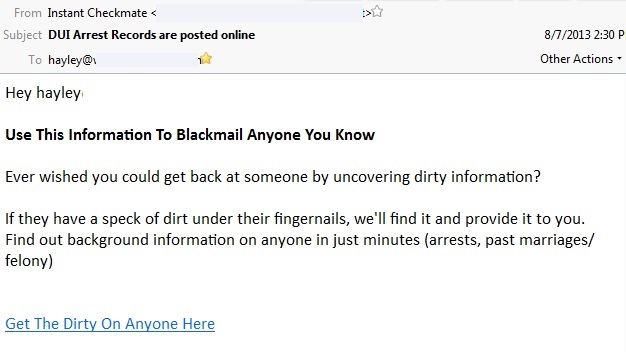
A distasteful solicitation email
Get private information in order to blackmail others? I suppose that’s a potential use, but what an an underhanded marketing technique when there are perfectly legitimate reasons for seeking out the same information! Is it okay for a lady to run a background check on a gentleman before going on a first date? Is it okay for an employer to run a background check on a potential employee to reduce the chance of hiring a criminal who could steal from the business? Is it okay for a parent to run a background check before hiring a caretaker for children? I think running a background check in these cases is acceptable and necessary.
I searched my own name and was most uncomfortable to see my home and work address, options to obtain information on neighbors, the price of my home and even ten people I “may know” and indeed, I knew all of them.
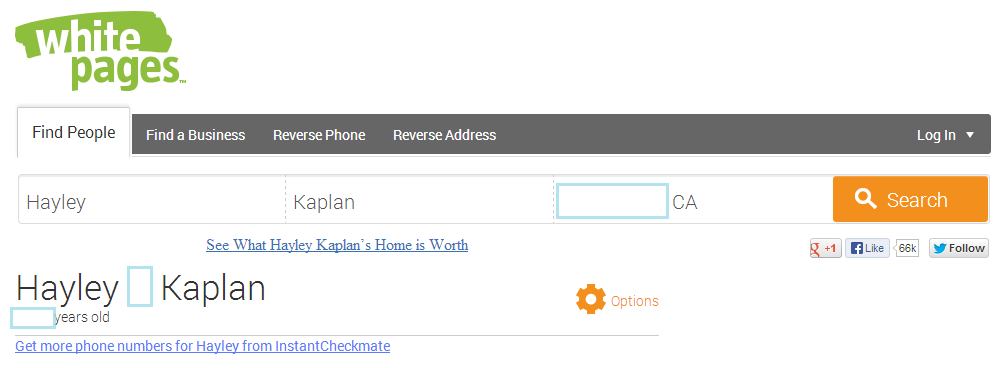
It’s creepy how much information this search engine revealed and a search on my own name simultaneously revealed information on others I know.
Services such as these obtain their data from publicly available information – they do not create the content and are therefore unable to remove the content from public records. If the public records are faulty, so will the search results be faulty. While one cannot unsubscribe from public records, it is possible to opt out of search engines that access that information. Opting out on InstantCheckMate will remove information from its site within 2-7 business days. Here’s how to do it:
1. Click on: InstantCheckMate Opt Out (It will open in a new window so you can toggle back and forth to this article, as needed)
2. Enter your name in the search box and click the “Search” button.
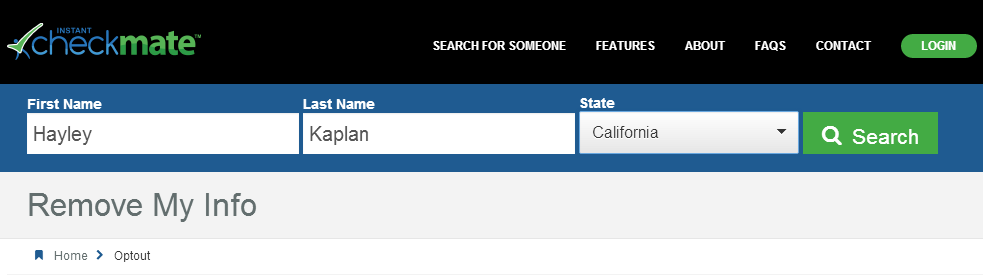
3. My search returned two profiles belonging to me and one which did not. Make an educated decision as to which records pertain to you based on your age, state and relatives and write down the exact spelling of records that pertain to you so you can remove each one. If your name is spelled differently in the results, expect to conduct the same search separately for each spelling.
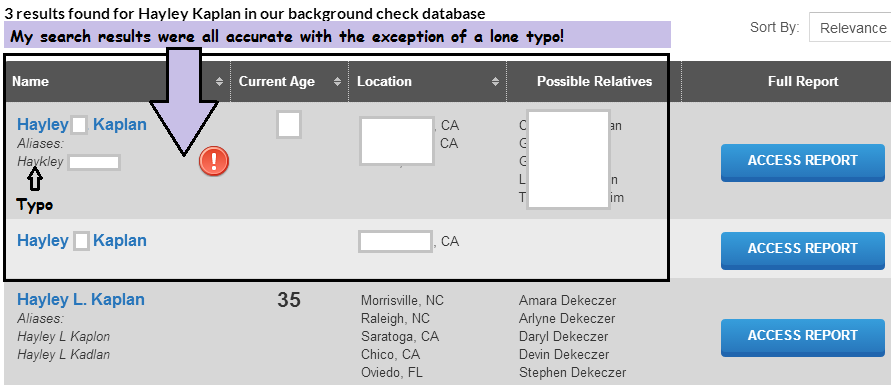
Personal Info blocked out but my search results were frighteningly accurate! (Hayley L. Kaplan is not me.)
4. If you want to view the report on yourself, you will need to purchase it. I think it is unnecessary because it is more valuable to immediately remove your information so that requests by others will yield no results.
5. Go back to the Opt Out section to remove your data. Scroll down to the “Quicklinks” at the bottom of the page (Image A) and click on “Remove My Information.” This will take you back to the Opt Out page where you can begin the information removal process. Option 2) Expedited Optout (Image B) is the option I suggest although it is also possible to opt out via regular mail.
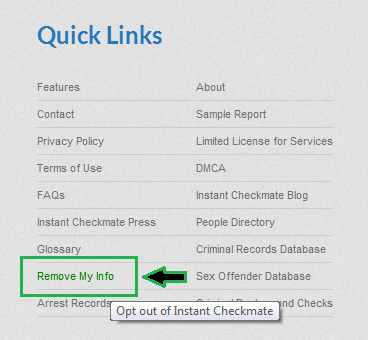
Image A: Scroll down to get back to the Opt Out Screen
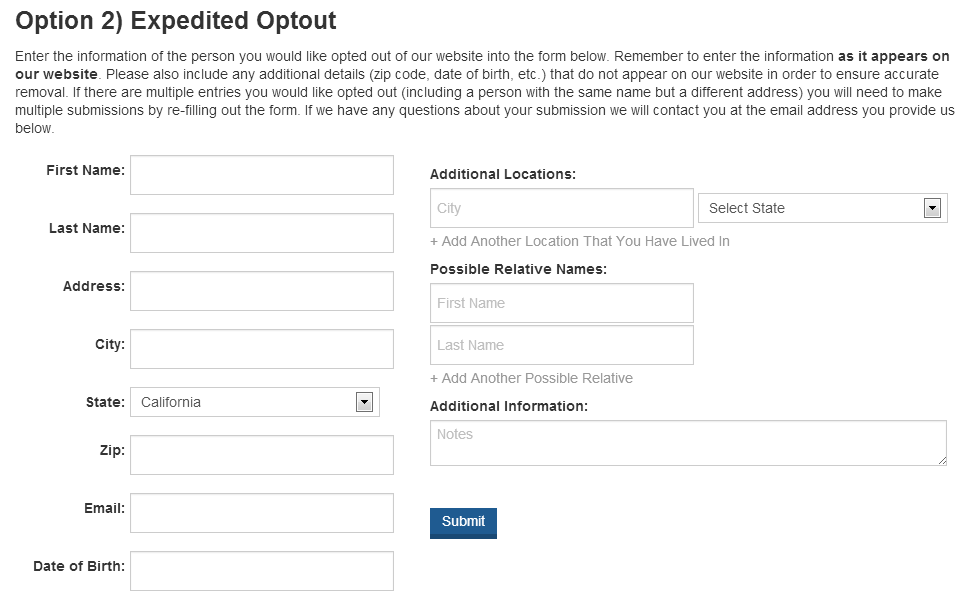
Image B: Enter pertinent information about the records you wish to remove
6. Enter your information and then hit “Submit.” You will immediately receive an email at the address you listed.
7. Open the email and confirm your email address to initiate the opt-out process which takes 2-7 business days to complete.
8. Wait a few days and then repeat the steps above to make sure your information was successfully removed.
Please remember that removing your information from the Internet in this manner only removes it from a search engine. It does not remove it from other publicly available records, but it’s a great start.
If you haven’t already done so, I highly recommend removing your information from Spokeo, another popular search engine. Click the link that follows for Spokeo removal directions : Remove Personal Information from the Internet. Also, either check back on this site regularly or consider subscribing to what-is-privacy.com so you will receive notification of upcoming posts which will take you directly to opt out pages of other important and popular search engines.
Wishing you much success in your quest for privacy. Feel free to share your experiences, frustrations and opinions in a comment following this article. Questions asked within comments (and privately too) will be answered as soon as possible.
Until next time,… Stay Cyber Safe!
If you want to remove your information from multiple directories, but don’t want to do it yourself, click image below: